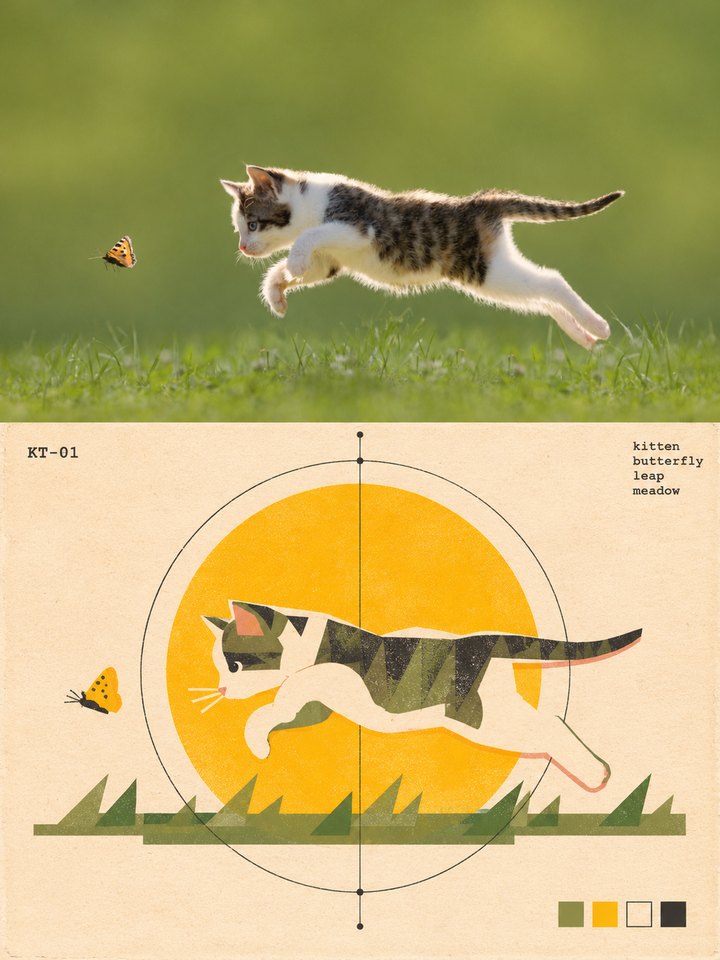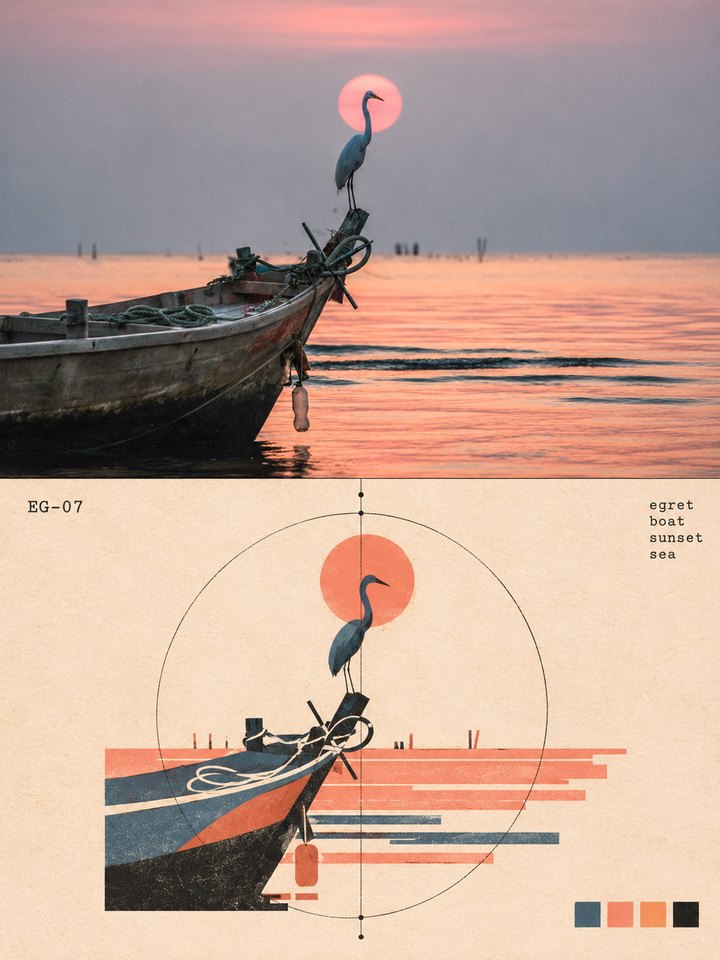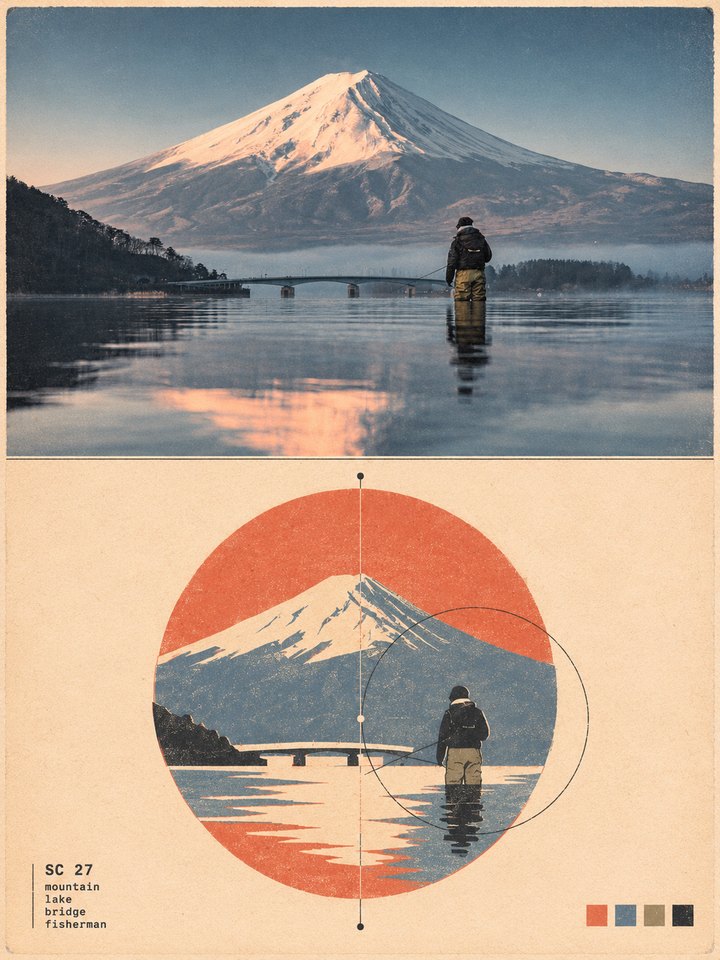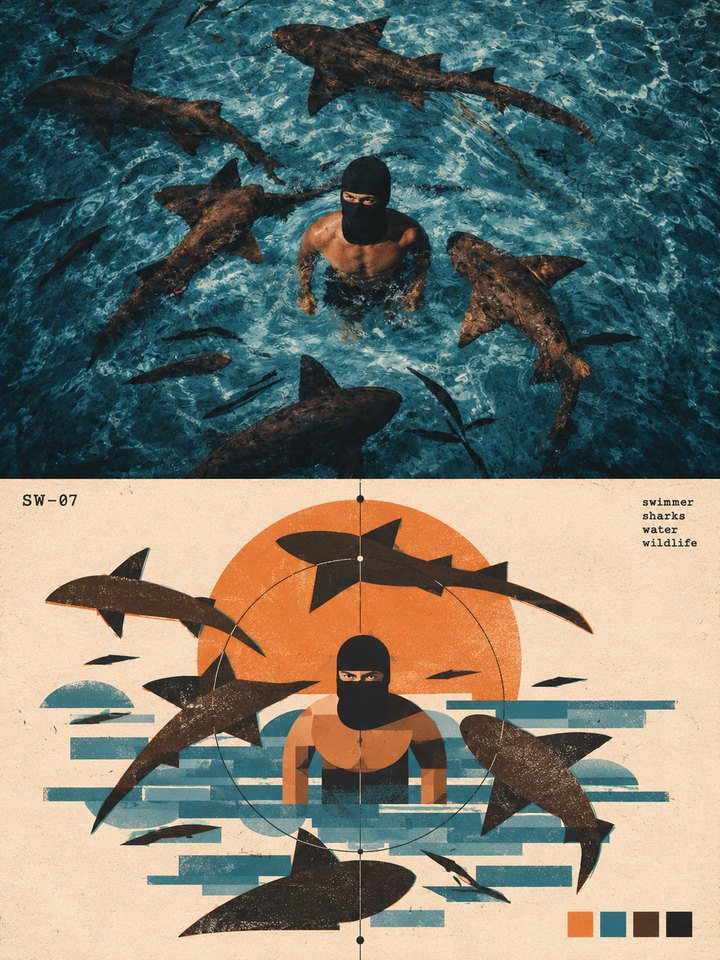
ART POSTCARD (PROMPT)
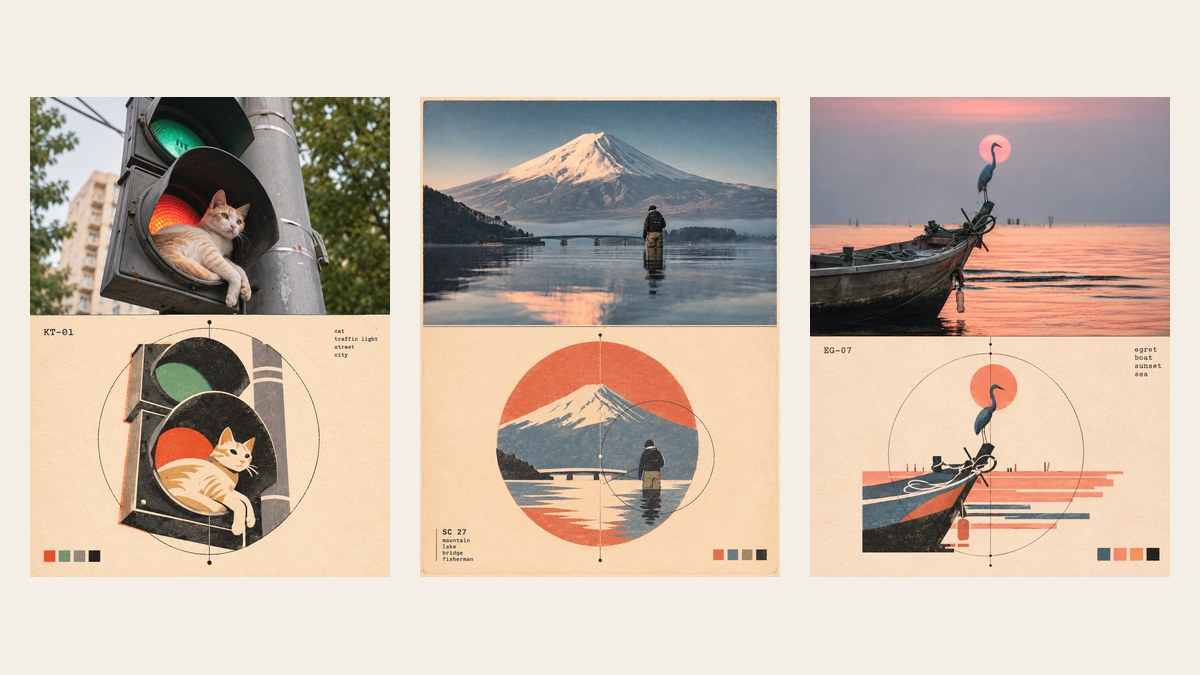
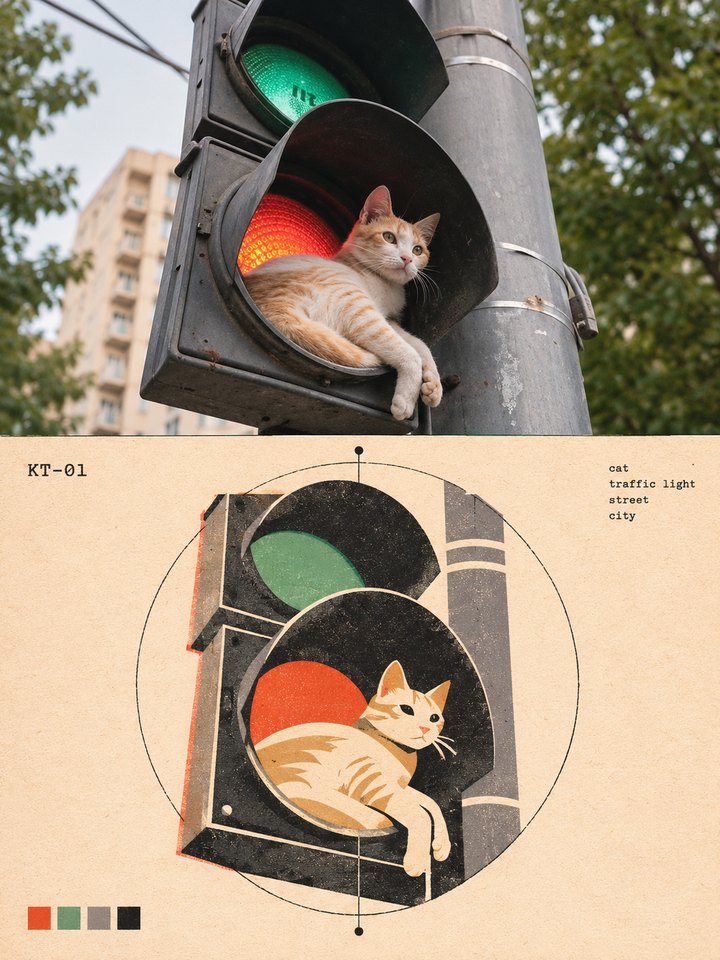
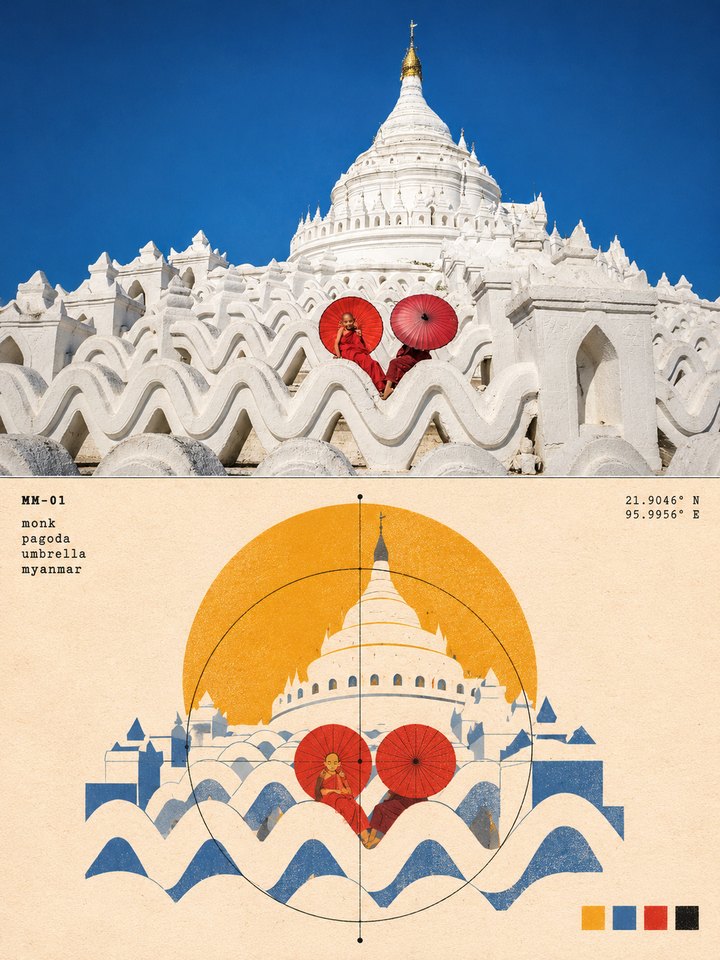
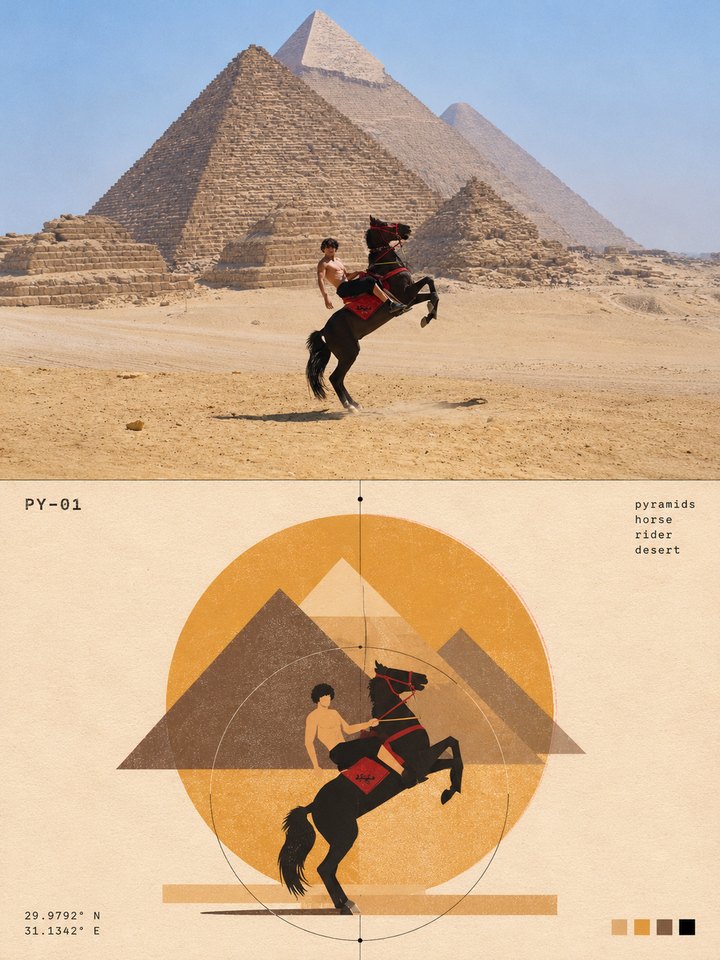
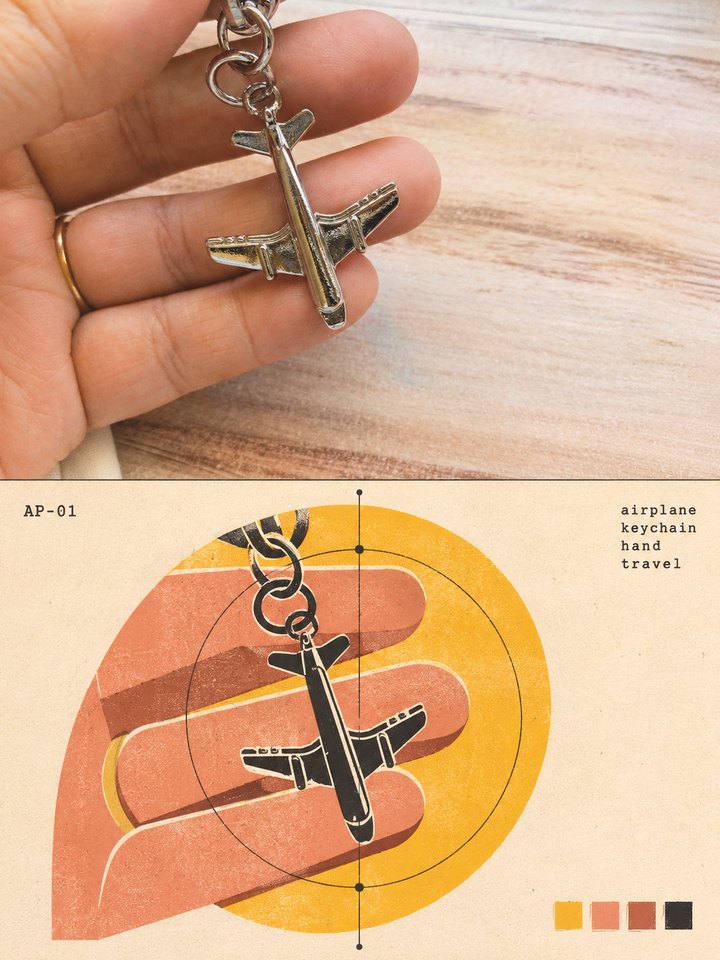
One prompt turns any photo into an art postcard: your photo on top, a bold flat print of the same moment below.
1. The prompt
Turn the photo I uploaded into a vertical 3:4 art poster, split exactly in half across the middle by a thin hairline.

TOP HALF: the photo itself. Keep the subject, its pose, its textures, its light and its shadows exactly as they are. Grade the colours gently, like a print in an art photography book. The top half is a wide panel, so fit the photo to it: keep the whole subject in view, crop away only background, and where the photo is too narrow, extend its background sideways naturally. Never stretch, cut off or change the subject.

BOTTOM HALF: a bold flat graphic version of the same moment. Take the subject together with the one or two things around it that make the photo special (the place it sits in, the landmark behind it, the sun, the animals around it) and rebuild them from simple flat shapes: circles, half circles, triangles, rectangles, bars and solid silhouettes. Keep the subject's exact pose and where everything sits in the photo, so anyone who looks from the photo to the graphic sees at once that it is the same picture. Let one large circle (a sun, a lamp, a ring) anchor the composition. Add thin construction lines: one hairline vertical axis through the composition with small dots on it, and a thin circle or arc around the subject. The graphic sits in the middle of the bottom half, with calm empty paper around it, even when the subject fills the whole photo.

STYLE OF THE BOTTOM HALF: mid-century Swiss poster design meets modern museum print. Flat solid shapes with crisp edges, a few shapes cut and offset like collage, exact geometry with small hand-made flaws.

TEXT: small type only, set in the corners like an archive label. A short code made of the first two letters of this photo's main subject or place, a dash and a number, three or four stacked keywords that name what is in this photo, and the map coordinates of the place only when the photo shows a famous place; otherwise leave the coordinates out. No headline.

COLOURS: three or four colours taken straight from the photo, used flat, plus black. In one corner, a row of four small square swatches showing those colours. The background is warm off-white paper. No neon, no gradients.

PRINT FEEL: make the bottom half look printed on paper: risograph grain and speckle inside the flat shapes, slight colour misregistration, light paper texture and soft uneven edges.

The finished poster should look like a collectible print from a modern art museum shop or an independent design magazine.
2. How to make one
- Open ChatGPT and start a new chat.
- Upload your photo. An everyday phone photo works best: a pet, a street, a trip, something on your desk.
- Paste the prompt and send it. Your postcard comes back in about a minute.
- Download it. If a label comes out wrong, ask ChatGPT to fix only that text and keep everything else.
Pick a photo with one clear subject. The prompt picks the colours, the labels and the shapes from your photo, so every postcard comes out different.
3. What yours can look like